































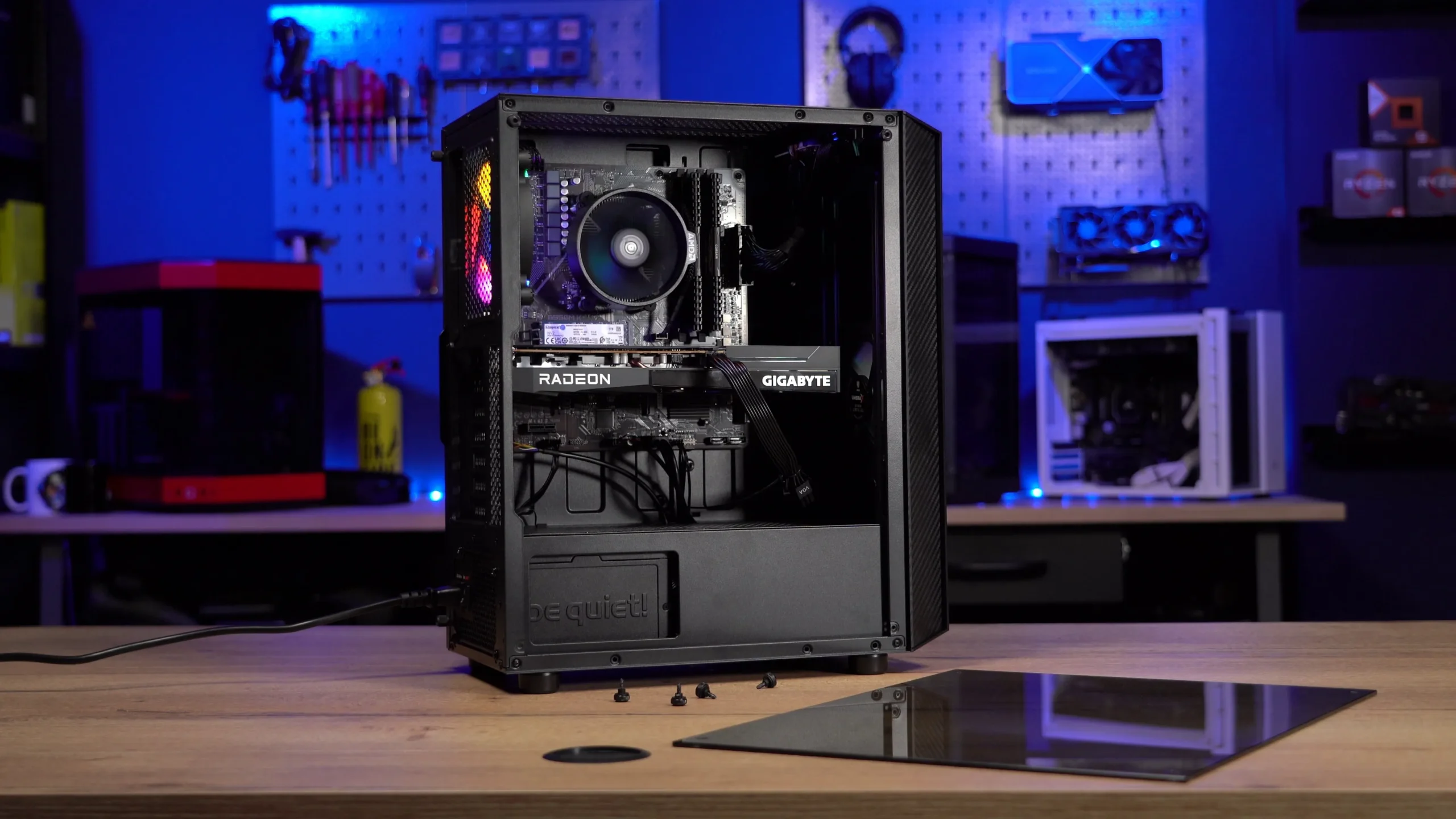
Upgrading an RTX gaming PC is one of the best ways to extend its life, boost performance, and keep your system ready for the latest AAA titles. Whether you’re playing competitive shooters like Valorant and Warzone or heavy, GPU-demanding games like Cyberpunk 2077 and Starfield, well-planned upgrades can make your system feel brand new. But the real question is: which upgrades should you prioritise first?
Many gamers in the UK often assume that upgrading an uk gaming PC requires replacing everything at once but that’s not true. You can significantly improve your system by focusing on the right components in the right order. This guide breaks down the most important upgrades for an RTX-powered setup and explains what you should upgrade first to get the biggest performance gains.
1. Upgrade #1: Graphics Card
For anyone running an rtx gaming pc, the GPU is the heart of the machine. If you’re experiencing low FPS, struggling with ray tracing, or planning to upgrade to a 1440p or 4K monitor, the GPU should be your first upgrade consideration.
Signs You Need a GPU Upgrade
- Your FPS drops in ray-traced games
- You play at 1440p or 4K and struggle to hit 60+ FPS
- AI-based apps or video editing software are slowing down
- New AAA releases require more GPU power than you have
Why It Matters
NVIDIA’s RTX architecture relies heavily on advanced features like DLSS, ray tracing, frame generation, and tensor cores. Newer GPUs make these features run faster and more efficiently. Even moving from an RTX 2060/2070 to something like an RTX 3070, 4070, or higher can deliver a massive jump in performance.
If you already have a high-end card like an RTX 4080 or above, then you can move this upgrade further down your list.
2. Upgrade #2: RAM
RAM is one of the most overlooked but impactful upgrades for any uk gaming PC. With modern games becoming more CPU-intensive and texture-heavy, 8GB or even 16GB can limit performance.
Recommended RAM for an RTX Gaming PC
- 16GB → Minimum for modern gaming
- 32GB → Ideal for multitasking, streaming, and AAA titles
- 64GB → Only for professionals (editing, 3D rendering, huge workloads)
Why RAM Matters
A system with too little memory will stutter, freeze, and load textures slowly. Upgrading RAM:
- Improves FPS consistency
- Reduces loading times
- Eliminates lag during multitasking
- Helps with streaming, OBS, editing, and modded gaming
DDR4 is still excellent, but if you’re on DDR5, even better especially with an RTX-powered system.
3. Upgrade #3: SSD Storage
Many gamers underestimate how much faster an NVMe SSD can make their system feel. If your RTX gaming pc is running on a traditional hard drive or a small SATA SSD, upgrading to NVMe should be a top priority.
Benefits of Upgrading to NVMe
- Games load almost instantly
- Windows boots in seconds
- Reduces in-game texture pop-in
- Faster file transfers for large games
- Improves performance in titles built on modern engines
Recommended Storage Setup
- 1TB NVMe SSD for Windows + main games
- 1TB–2TB SATA SSD for additional game storage
As game sizes continue to grow (some reaching 150–200GB), proper storage is essential.
4. Upgrade #4: CPU
Even the fastest GPU can’t perform at its peak if the CPU isn’t strong enough. Your CPU becomes especially important if you play:
- Esports titles (high FPS games depend on CPU speed)
- Simulation games like Cities Skylines
- Strategy games like Total War
- Open-world titles with heavy physics calculations
Signs Your CPU Is Bottlenecking
- GPU utilisation is low (50–70%)
- You get high FPS drops despite a strong GPU
- CPU usage stays at 90–100%
- Lower resolution doesn’t improve FPS
- Streaming causes lag or choppiness
Best CPU Types for an RTX Gaming PC
- For RTX 3060–3070: Ryzen 5 / Intel i5
- For RTX 4070–4080: Ryzen 7 / Intel i7
- For RTX 4090: Ryzen 9 / Intel i9
A CPU upgrade almost always requires a motherboard upgrade too, which leads us to the next point.
5. Upgrade #5: Motherboard
Unlike other upgrades, the motherboard isn’t something you need to replace unless:
- You want a newer CPU
- You need DDR5 compatibility
- You want faster PCIe lanes
- You want more ports (USB, M.2 slots, etc.)
A good motherboard ensures:
- Better overclocking stability
- Improved cooling support
- Modern features like Wi-Fi 6, PCIe Gen 4/5, and faster RAM speeds
For most gamers, this is a mid-priority upgrade only needed when switching CPU generations.
6. Upgrade #6: Power Supply
This is one upgrade many gamers ignore until something goes wrong.
With modern GPUs requiring more wattage and multiple 8-pin/12VHPWR connectors, upgrading your PSU is essential for stability and safety.
Recommended PSU Wattage for RTX Cards
- RTX 3060 → 550W
- RTX 3070/3080 → 650W–750W
- RTX 4070/4080 → 750W–850W
- RTX 4090 → 1000W+ recommended
A high-quality PSU ensures:
- Clean and stable power delivery
- Better overclocking
- Protection from voltage spikes
- Longer component lifespan
If you’re planning long-term upgrades, go for an 80+ Gold or 80+ Platinum PSU.
7. Upgrade #7: Cooling System
Even the best rtx gaming pc will underperform if it overheats. Better cooling doesn’t just improve temperatures it boosts FPS, stability, and longevity.
Cooling Upgrades to Consider
- Add extra case fans (intake + exhaust)
- Upgrade to a dual-tower air cooler
- Install a 240mm or 360mm AIO liquid cooler
- Improve airflow with a new case
When Cooling Should Be a Priority
- Your temps exceed 80–85°C
- Your GPU thermal throttles
- Games stutter during long play sessions
- Your PC is loud under load
A cool PC is a fast PC.
8. Upgrade #8: Monitor
Many gamers forget that their monitor affects performance too. Pairing an RTX GPU with a 60Hz monitor wastes your system’s capabilities.
Best Monitor Pairings
- RTX 3060 → 1080p 144Hz
- RTX 3070 → 1440p 144Hz
- RTX 4070/4080 → 1440p 240Hz or 4K 144Hz
- RTX 4090 → 4K 144Hz / 4K 240Hz
Upgrading your monitor can give you:
- Better colour accuracy
- Smoother motion clarity
- Lower input lag
- More immersive visuals