































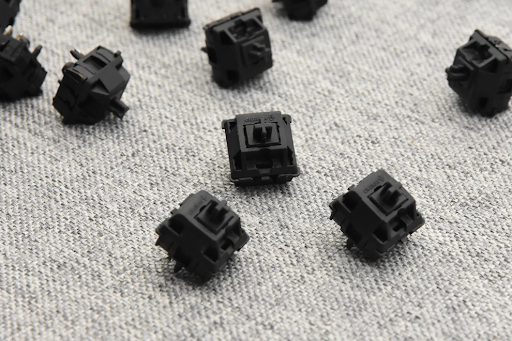
Whether you are a gamer, writer, or programmer, the feel and performance of your keyboard greatly impact your experience. Keyboard switches are the core components that determine key responsiveness, sound, and overall typing comfort. This guide explores the different types of keyboard switches, their functions, and how to choose the right switch for your needs.
What Are Keyboard Switches?
Keyboard switches are the mechanisms beneath each keycap that register keypresses. They vary in design, feedback, and actuation force, which makes a significant difference in typing and gaming experience. Mechanical switches use individual spring-loaded mechanisms, offering durability and tactile feedback, while membrane switches rely on a rubber dome, producing quieter keystrokes at a lower cost. Understanding these distinctions helps users select the most suitable keyboard for their workflow or gaming style.
How Do Mechanical and Membrane Switches Differ?
Mechanical switches are popular among enthusiasts for their precise actuation and long lifespan, often rated for 50 million keystrokes. Membrane switches, in contrast, are common in budget keyboards and office setups, providing quieter typing but less tactile response. According to a Keychron report, users who type extensively or game competitively prefer mechanical switches due to consistency and reliability.
What Are the Main Types of Mechanical Switches?
Mechanical switches are broadly categorized into three types: linear, tactile, and clicky. Each offers unique feedback and sound profile:
| Switch Type | Feedback | Sound Level | Ideal Use |
| Linear | Smooth, consistent keystroke without tactile bump | Quiet | Gaming, fast typing |
| Tactile | Noticeable bump at actuation point | Moderate | Typing, mixed use |
| Clicky | Tactile bump with audible click | Loud | Typing, feedback-focused use |
In practice, gamers often prefer linear switches for rapid double-taps, while writers enjoy tactile or clicky switches for the satisfying feedback and typing rhythm. For further technical comparison, refer to Kinetic Labs’ guide.
How to Choose the Best Keyboard Switch for Gaming or Typing?
Choosing the right switch depends on your use scenario. Here are some practical considerations:
· Gaming: Linear switches like Cherry MX Red or Gateron Red are preferred for smooth, fast keypresses.
· Typing: Tactile switches, such as Cherry MX Brown or Keychron Brown, reduce typing fatigue and provide satisfying feedback.
· Office: Quiet tactile or membrane switches minimize noise in shared environments.
User reviews indicate that keyboards with hot-swappable switches, which allow easy replacement of switches without soldering, are increasingly popular among enthusiasts and professionals. Additionally, considering actuation force (measured in grams) ensures keys match personal comfort and speed requirements.
What Are Keyboard Switch Lubing and Modding, and Do You Need Them?
Lubing involves applying specialized lubricants to mechanical switches to reduce friction and noise, improving smoothness and lifespan. Modding can include spring swaps, dampening rings, or custom keycaps to tailor typing feel. While not essential for casual users, lubing and modding are highly valued by enthusiasts seeking optimized sound and tactile experience. Real-world testing shows that lubed switches can reduce key noise by up to 30%, enhancing typing comfort, particularly for long coding or gaming sessions.
Conclusion
Keyboard switches play a critical role in typing comfort, speed, and gaming performance. Understanding the differences between mechanical and membrane switches, as well as the specific switch types and modding options, allows users to choose the right keyboard for their needs. Whether prioritizing speed, feedback, or quietness, selecting the appropriate switch can transform your overall computing experience.
FAQs
Are tactile switches better than linear switches for typing?
Tactile switches often provide a more satisfying typing experience due to the feedback bump, but some users may prefer linear switches for smoother keystrokes. Personal preference plays a major role.
Can I replace the switches on my existing keyboard?
If your keyboard supports hot-swappable switches, you can replace them without soldering. Otherwise, replacing switches may require soldering skills.
Do all gaming keyboards use the same type of switches?
No, gaming keyboards use a variety of switches. Linear switches are common for fast-paced games, while tactile and clicky switches are also available for different user preferences.